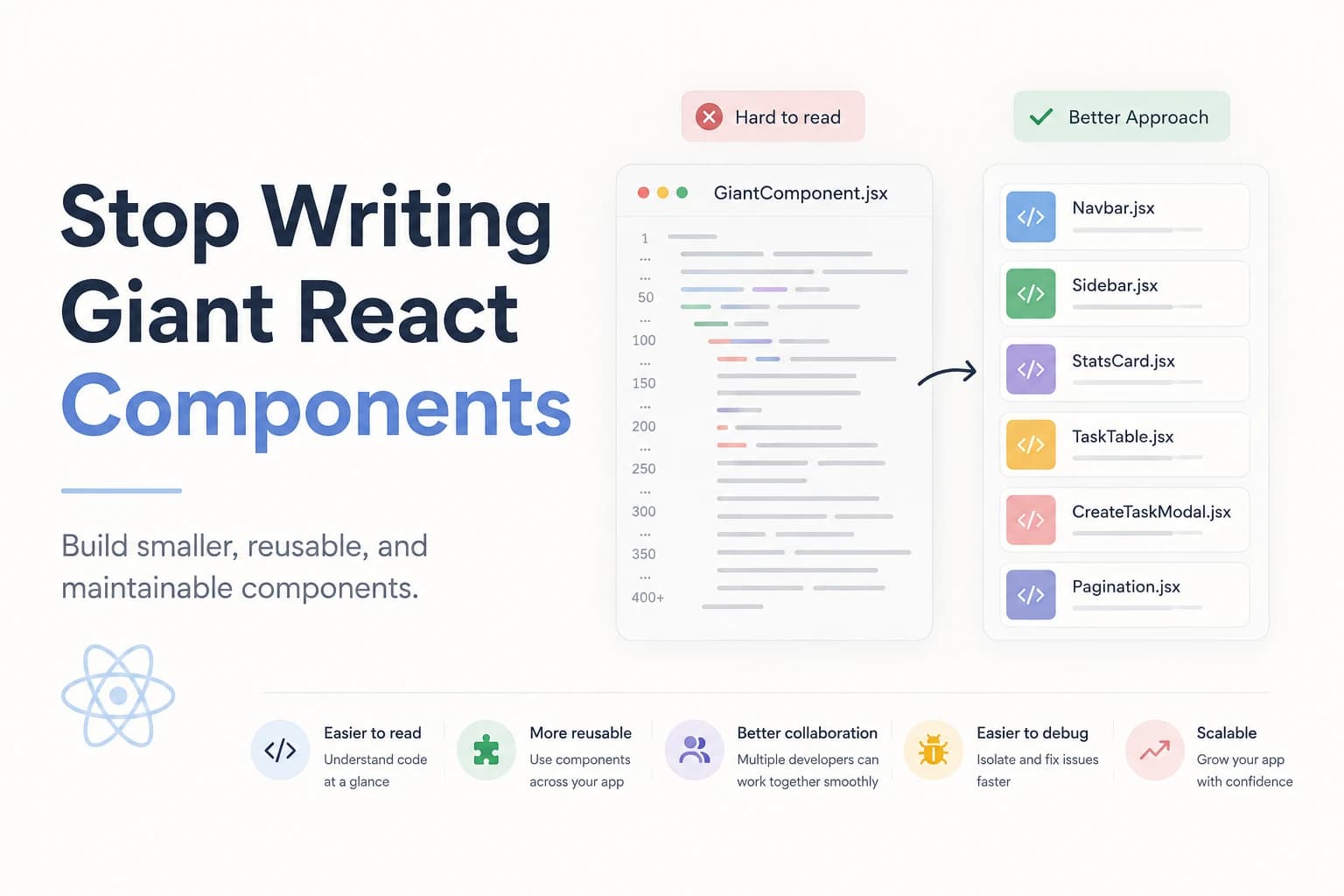
Stop Writing Giant React Components: Build Maintainable React Applications
When developers first start learning React, it's common to place everything inside a single component. It feels convenient at first—you have all your logic, UI, state, and API calls in one place. But as your application grows, that convenience quickly turns into complexity.
If you've ever opened a React component with 500 or even 1,000 lines of code and felt overwhelmed, you're not alone. Giant components are one of the most common mistakes new React developers make, and they can slow down development, introduce bugs, and make collaboration difficult.
Let's explore why large components become a problem and how breaking them into smaller, reusable pieces can dramatically improve your codebase.
Why Do React Components Become So Large?
It usually starts with something simple.
You create a page component, add a few buttons, fetch some data, and manage a bit of state. Then you add a form, a modal, a table, filtering, pagination, loading states, and error handling. Before long, one component is responsible for everything.
A giant component often contains:
- API calls
- State management
- Form validation
- Event handlers
- Business logic
- UI rendering
- Modals
- Tables
- Search functionality
- Pagination
Instead of doing one thing well, it tries to do everything.
Why Giant Components Are a Problem
1. They're Difficult to Read
Imagine opening a component with 800 lines of code.
Finding a simple button click handler suddenly feels like searching for a needle in a haystack.
Good code should communicate its purpose at a glance.
2. Debugging Becomes Painful
When everything lives inside one file, changing one feature can unexpectedly break another.
A small UI update might accidentally affect API requests, state management, or form validation because everything is tightly coupled.
3. Poor Reusability
Suppose you build a user profile card inside your dashboard component.
Later, you need the same card on another page.
If it's deeply embedded inside one giant component, you'll likely duplicate the code instead of reusing it.
Reusable components save both time and maintenance effort.
4. Harder Team Collaboration
In professional teams, multiple developers often work on the same page.
If everything is inside one file, merge conflicts become common because everyone is editing the same component.
Smaller components allow different developers to work independently.
5. Testing Becomes More Difficult
Testing a single-purpose component is straightforward.
Testing a component responsible for authentication, API calls, filtering, forms, tables, and modals is not.
The more responsibilities a component has, the harder it is to write reliable tests.
The Single Responsibility Principle
A good React component should have one clear responsibility.
Instead of asking:
"Can this component do everything?"
Ask:
"Should this component be responsible for this?"
For example:
- A button should render a button.
- A modal should display a modal.
- A table should display data.
- A form should collect user input.
Keeping responsibilities focused makes components easier to understand and maintain.
A Better Folder Structure
Instead of this:
Dashboard.jsx
Organize your application like this:
dashboard/
├── Dashboard.jsx
├── Sidebar.jsx
├── Navbar.jsx
├── StatsCard.jsx
├── RecentTasks.jsx
├── ActivityFeed.jsx
├── TaskTable.jsx
├── CreateTaskModal.jsx
├── Filters.jsx
└── Pagination.jsx
Now each component has a clear purpose.
Extract Business Logic into Custom Hooks
One of the biggest reasons components grow is because developers mix UI and business logic together.
Instead of writing data fetching directly inside your component, move it into a custom hook.
Instead of:
- Fetching data
- Managing loading state
- Handling errors
- Updating state
inside your component, create:
hooks/
└── useTasks.js
Your UI component can now focus only on rendering.
This separation makes your code cleaner and easier to test.
Break Large Forms into Smaller Components
A registration form might include:
- Personal Information
- Address
- Password
- Preferences
- Terms & Conditions
Instead of placing everything inside one component, split it into logical sections.
This improves readability and makes each part reusable.
Keep Components Small
There isn't a strict line count that defines a "large" component, but here's a good rule of thumb:
- Under 100 lines: Great
- 100–250 lines: Usually fine
- 250–400 lines: Consider splitting
- 400+ lines: It's likely doing too much
Focus on responsibility rather than the exact number of lines.
Signs Your Component Needs Refactoring
Ask yourself these questions:
- Is this file becoming difficult to navigate?
- Does it contain multiple unrelated responsibilities?
- Am I repeating similar JSX?
- Can part of this component be reused elsewhere?
- Does it manage too many state variables?
- Is debugging becoming harder?
If you answered "yes" to several of these, it's time to refactor.
Best Practices
To keep your React codebase maintainable:
- Keep components focused on a single responsibility.
- Move reusable UI into separate components.
- Extract business logic into custom hooks.
- Keep API calls outside presentation components.
- Use meaningful folder structures.
- Avoid deeply nested JSX.
- Reuse components instead of duplicating code.
- Write components that are easy to read and test.
Final Thoughts
Writing giant React components is a mistake almost every developer makes at some point. It's a natural part of learning, but it's also one of the easiest habits to improve.
Small, focused components are easier to understand, easier to debug, easier to test, and far more reusable. As your projects grow from side projects to production applications, this approach becomes essential for maintaining a clean and scalable codebase.
Remember: great React applications aren't built with massive components—they're built with many small components that each do one thing exceptionally well.